If you have a product with ten color options and each color has its own image, writing unique alt text for every single one feels tedious. And if you do write something, it ends up nearly identical across all ten images with only the color name swapped.
It is a very common situation and the answer is simpler than most guides make it seem.
What Most Stores Do Wrong
The most common setup is letting the theme pull in the variant name automatically. So your alt text ends up as just "olive" or "black" with nothing else. That tells Google almost nothing about what the product actually is.
The second common mistake is using only the product title across every image. "Classic Cotton Hoodie" repeated ten times gives Google no way to differentiate between those images or rank them for different searches.
What You Should Actually Write
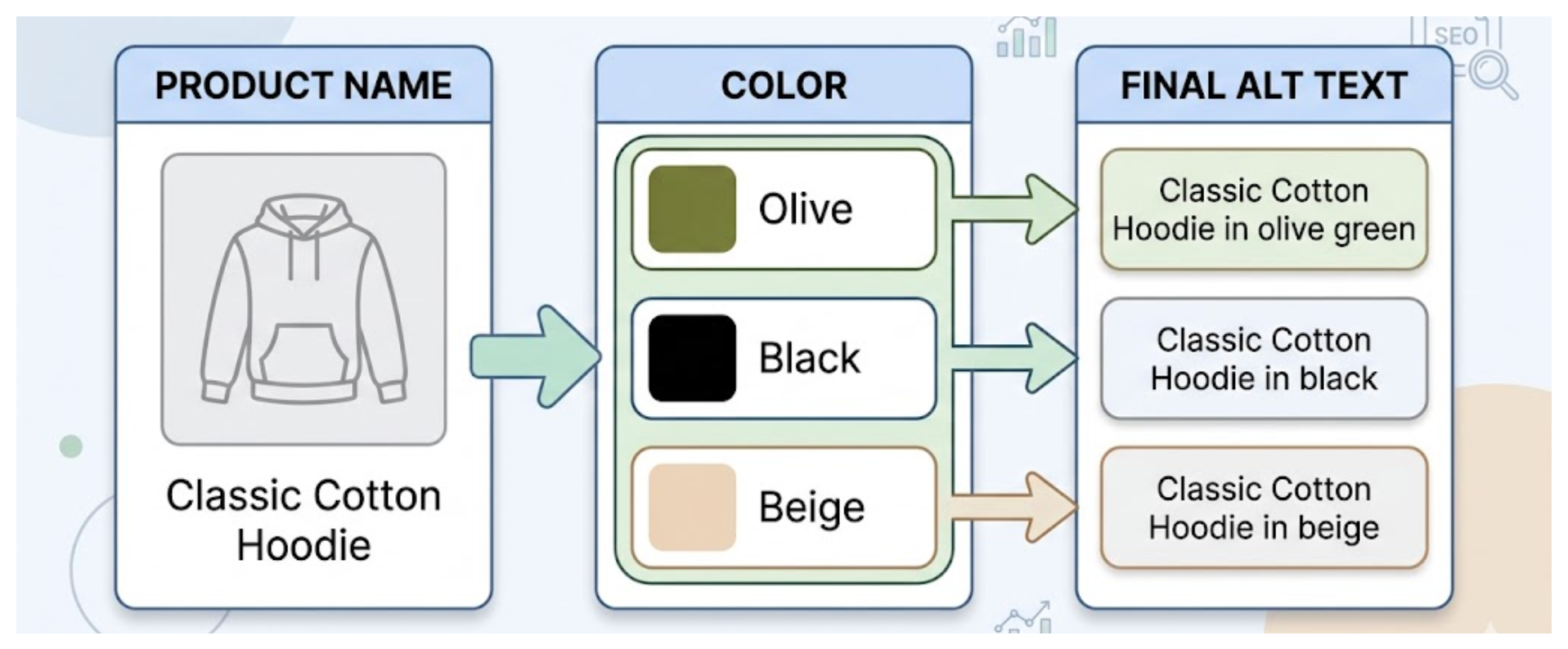
Include both the product name and the color in every variant image alt text. That alone is a meaningful improvement over just the color name or just the product title.
So instead of "olive" write "Classic Cotton Hoodie in olive green." Instead of "black" write "Classic Cotton Hoodie in black."
This is not perfect alt text but it is accurate, it includes a searchable keyword, and it differentiates each image clearly enough for Google to work with.
Will Similar Alt Text Hurt Your SEO?
SEO clarification: Having ten images with similar but not identical alt text is fine. Google understands that color variant images of the same product will naturally be described in a similar way.
What you want to avoid is identical alt text across all images — the exact same string copied to every image with zero variation. That signals low effort and gives Google nothing to distinguish between them.
Changing the color name in each one is enough to make them distinct.
Should You Write Fully Unique Descriptions for Each Variant?
If you have time, yes. A description that mentions what is actually visible in the image will always perform better than one that just names the product and color.
For example, "Classic Cotton Hoodie in olive green, relaxed fit with kangaroo pocket, flat lay on white background" gives Google more detail to work with. It includes context about the image itself — the style, fit, and how it is shot — not just the product name and color.
But if you have ten colors and three images per color, writing thirty fully unique descriptions takes a while. Product name plus color is a perfectly reasonable baseline that is significantly better than what most stores have.
What About Accessibility?
From an accessibility standpoint, a screen reader user needs to understand what the image shows when they cannot see it. "Olive" on its own tells them nothing. "Classic Cotton Hoodie in olive green" tells them exactly what they are looking at.
Good accessibility and good SEO point in the same direction here. More descriptive is better for both. For the broader rules on how to write and format alt text across your whole store, Shopify alt text best practices covers everything from spacing and file names to how long alt text should be.
If you are also trying to get images to switch automatically when a customer selects a color, that is a separate setup from alt text. The guide on showing different images for each color variant in Shopify covers how to assign variant images natively, how some themes use alt text to group multiple images per variant, and when an app is needed for full gallery filtering.
How to Update Variant Alt Text Without Opening Every Product
Shopify requires you to open each product, click each image, and update the alt text field individually. For a product with ten color variants that is ten separate edits, and you have not even moved to the next product yet.
If your store has grown to the point where alt text feels unmanageable across hundreds of products, managing alt text at scale has a practical approach.