There is a lot of conflicting advice about alt text. Spaces or underscores, keyword stuffing, whether the product title counts — here are straight answers to the questions that come up most often.
Should You Use Spaces or Hyphens in Alt Text?
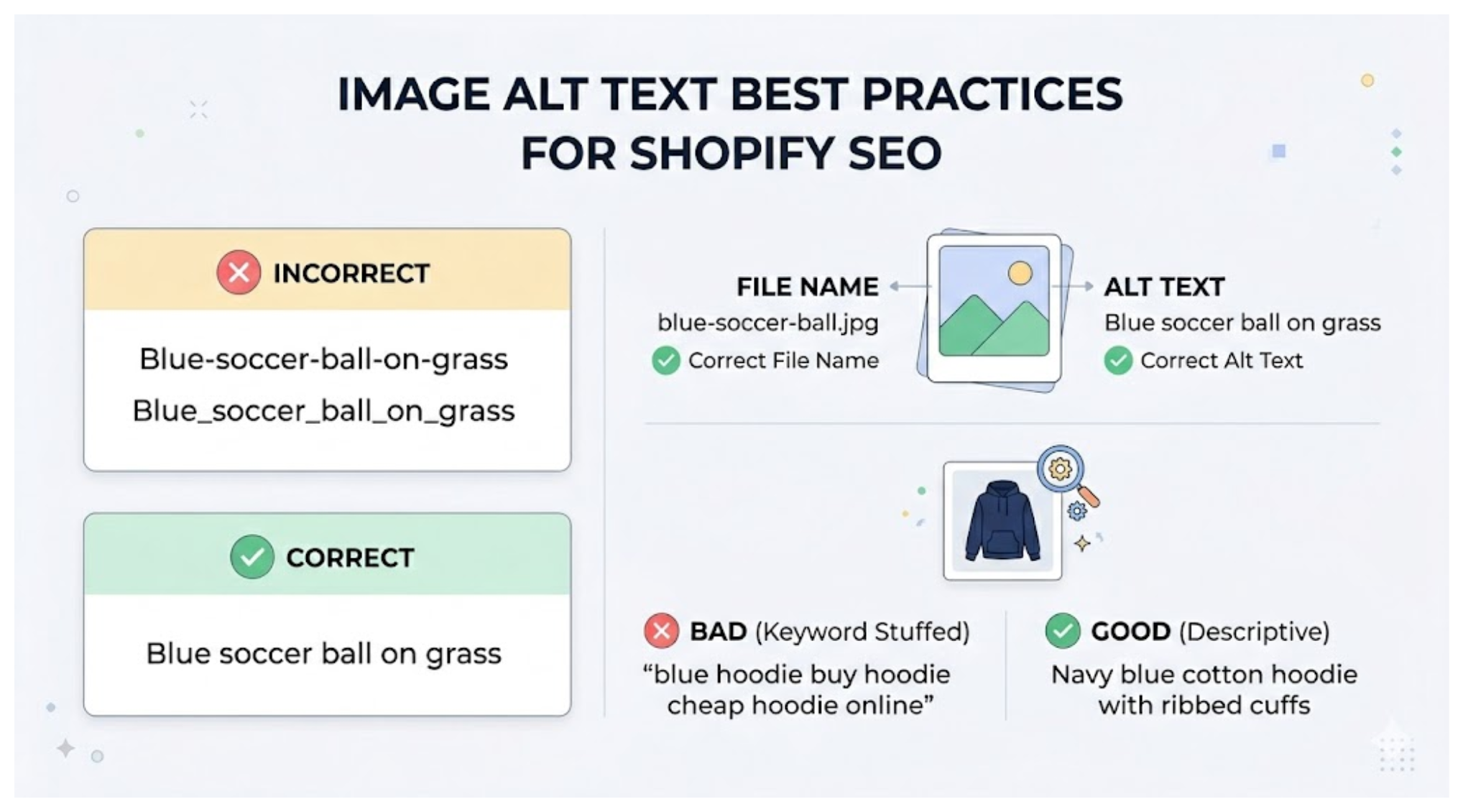
Formatting rule: Use spaces in alt text. Write it the way you would say it out loud. "Blue soccer ball on grass" is correct. "Blue-soccer-ball-on-grass" is unnecessary and slightly harder to read.
Alt text is a natural language description, not a file name or URL slug. Search engines and screen readers both process alt text as regular text, so standard spacing is what you want. Hyphens and underscores in alt text provide no SEO benefit and make it harder for screen readers to pronounce correctly.
Does the Image File Name Matter for Shopify SEO?
It matters, but less than the alt text, and Shopify complicates it anyway.
Google does use image file names as a signal when indexing images. A file named "navy-blue-cotton-hoodie.jpg" gives Google more context than "IMG_4821.jpg." That part is real.
The complication with Shopify is that when you upload an image, Shopify stores it on its own CDN and sometimes appends random strings to the file name. The file name you uploaded may not be exactly what Google sees in the URL. Alt text, by contrast, is stored exactly as you write it and is reliably read by Google every time it crawls the page.
If you have a choice between spending time on file names or alt text, spend it on alt text. The impact is cleaner and more direct.
If you want to do both, name your files descriptively before uploading — lowercase, words separated by hyphens, descriptive of the product. Then write good alt text on top of that.
Should You Put Hyphens in File Names?
Yes, use hyphens to separate words in image file names, not underscores. Google treats hyphens as word separators in URLs and file names, so "blue-dress.jpg" reads as two separate words "blue" and "dress." Underscores do not always get treated the same way.
This is the opposite of alt text, where you use natural spaces. File names use hyphens, alt text uses spaces.
What If a Product Has Multiple Images?
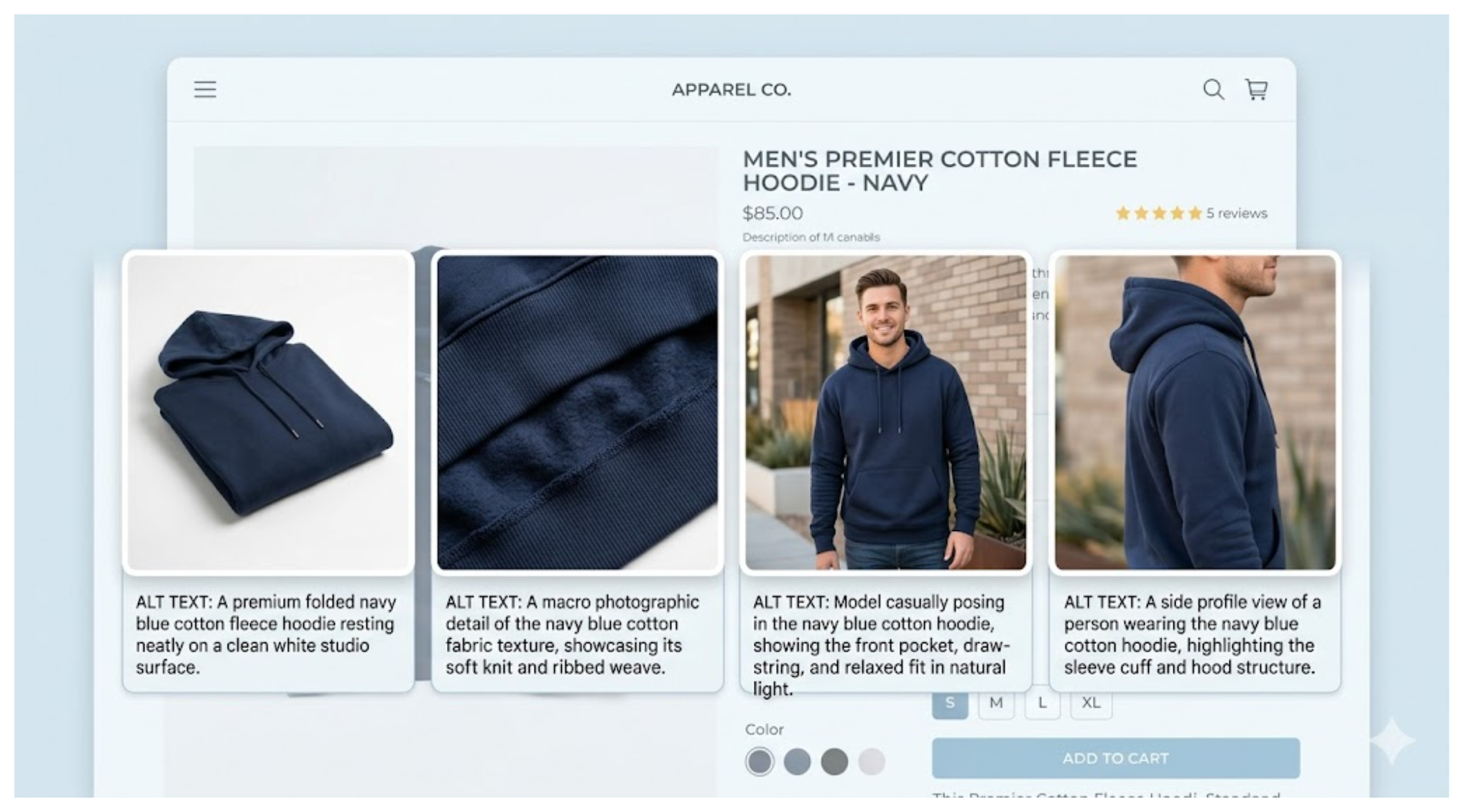
Each image should have its own alt text describing what is actually visible in that specific image. If you sell products with multiple color options, alt text for color variant images covers exactly how to handle those without writing thirty completely unique descriptions.
A product listing with five images might include a flat lay, a model shot, a close-up of a detail, a lifestyle shot, and a size guide. Each one looks different and should be described differently.
Do not copy the same alt text to every image on a product. That gives Google no reason to rank any of those images for different searches, and it is not helpful to screen reader users either.
A practical approach for multiple images:
The first image (usually the main product shot) gets the most complete description. Something like "Navy blue cotton crew neck hoodie, folded flat on white background."
Additional images can be shorter and focused on what makes that specific shot different. "Close-up of ribbed cuffs and hem detail" or "Model wearing navy hoodie, front view."
You do not need to repeat the full product name in every single image alt text. Once Google knows the page is about this product, shorter descriptive alt text on secondary images works fine.
How Long Should Alt Text Be?
The widely cited guideline is 50 to 125 characters. Long enough to be descriptive, short enough that it does not get treated as keyword stuffing.
In practice, the most important thing is that it describes what is actually in the image. A 40-character alt text that is accurate and specific is better than a 120-character alt text padded with keywords.
Do not start alt text with "Image of" or "Photo of." Google knows it is an image. Just describe what is in it directly.
Does Keyword Stuffing in Alt Text Hurt You?
Keyword stuffing warning: Google's own image SEO documentation explicitly warns against stuffing keywords into alt text. The exact guidance from Google is to avoid "filling alt attributes with keywords" as it results in a negative user experience and may cause your site to be seen as spam.
This matters because a lot of alt text advice from a few years ago encouraged including target keywords in every image description. That approach is outdated and counterproductive.
The right way to think about it: if the keywords appear naturally because you are accurately describing the image, that is fine. If you are forcing keywords into the description that do not reflect what is actually in the image, that is the problem.
So "Black leather biker jacket with silver zippers, model shot against white background" is good — it describes the image and naturally includes searchable terms. "Black leather jacket buy leather jacket cheap leather jacket men" is keyword stuffing and works against you.
Is Using the Product Title as Alt Text a Mistake?
It is not a mistake exactly, but it is a missed opportunity and often redundant.
Google already knows what product a page is about from the page title, headings, product description, and structured data. Alt text that just repeats the product title adds almost no new information for Google to work with.
The value of alt text comes from describing what is specifically visible in the image — details that are not already on the page in text form. The angle, background, color detail, material texture, styling context. These are things only the image shows, and they are what make alt text genuinely useful for both SEO and accessibility.
If your current alt text is all product titles, you are not being penalised, but you are leaving Google Images traffic on the table. Replacing "Classic Leather Jacket" with "Brown full-grain leather jacket with silver buckle detail, flat lay on dark wood surface" gives Google something it could not already read from the rest of the page.
What Is the Right Workflow for Writing Alt Text?
Here is a practical workflow that does not take forever.
Look at each image before writing. Do not write alt text from the product title alone. The whole point is to describe what you actually see.
Describe the most useful details first. Color and material, then product type, then any notable detail or context. "Olive green waxed cotton jacket with brass buttons, worn open over a white shirt" is the right structure.
Keep it under 125 characters. You do not need to describe everything. Pick the details most likely to match what someone would search for.
Do not start with "image of" or "photo of." Google already knows it is an image. Just describe what is there.
For a store with hundreds of products, doing this one image at a time in Shopify is slow. AltMate shows all your images in a table so you can write and save alt text without opening each product individually. It also flags which images have no alt text or descriptions that are too short, so you know where to focus.
Should You Include Your Brand Name?
Only if it is genuinely visible in the image or relevant to the search. Forcing your brand name into every alt text looks like keyword stuffing and does not reflect what is in the image.
If your product has visible branding or the brand is what distinguishes the product — for example, a product with a distinctive logo or a branded colorway — then including it makes sense.
How to Update Alt Text Across a Large Catalog
Shopify only lets you edit alt text one image at a time. For a store with hundreds of products that adds up quickly.
AltMate lets you see and edit all your product image alt text in a single table, filter by collection or tag, and save changes directly to Shopify. It also shows you which images are missing alt text or have descriptions that are too short, so you can see the full picture before deciding where to start.
For tips on tackling a large catalog efficiently, see how to manage alt text at scale.